Video Walls for Control Rooms: Estate Security 2026
You're probably looking at a property that no longer fits the old model of “security cameras plus a rack in the closet.”
A large residence, guest house, gate system, pool equipment, outdoor lighting, backup power, access control, marine or equestrian outbuildings, and a layered smart home platform create a management problem that feels a lot more like a boutique commercial campus than a conventional house. Once that happens, scattered apps and a few desktop monitors stop being efficient.
That's where video walls for control rooms start to make sense in a residential setting. Not as a novelty, and not as a trophy feature, but as the visual foundation for a private estate command center that's built to monitor, decide, and respond quickly without sacrificing design quality.
For luxury properties, the challenge isn't only technical. The room has to work operationally, look refined, integrate with architecture, and remain comfortable for long viewing sessions. The wrong display technology can create eye fatigue, poor color rendering, visible seams, or a room that feels commercial in the worst way. The right system disappears into the architecture and becomes part of how the estate runs.
Table of Contents
- Why Modern Estates Need a Central Command Center
- Choosing Your Canvas Direct View LED vs Tiled LCD Walls
- Decoding the Specs for Flawless Visuals
- Design Principles for Your Command Center
- The Brains of the Operation Control System Integration
- Real-World Applications for Luxury Properties
- Your Procurement and Installation Checklist
- Frequently Asked Questions
Why Modern Estates Need a Central Command Center
A luxury estate with meaningful acreage doesn't operate like a typical single-structure home. Security, environmental systems, and day-to-day property operations are spread across the site. Owners and estate managers need one place where information comes together clearly.
A large property creates a coordination problem
Multiple camera views, entry gates, lighting scenes, HVAC zones, irrigation status, generator health, pool automation, and service activity can all matter at the same time. A desktop with several consumer monitors can display some of that information, but it rarely handles layout flexibility, long-hour reliability, or visual consistency well enough for a true command function.
That's why dedicated control room thinking has moved into high-end residential work. The underlying display category has matured too. The LG control room overview notes that the falling price of LED chips has accelerated the adoption of fine-pitch Direct View LED (DVLED) solutions in control rooms, and that video wall brightness should be maintained between 500–700 nits for clear visibility in controlled environments.
Those are commercial realities, but they translate directly to estates. The room is usually dimmer than a kitchen or family room. Operators sit close to the display. The content is detail-heavy. The display must remain readable without feeling harsh.
Estate command rooms work best when they're designed as operational spaces first, then refined so they belong inside the residence.
A well-built private command center usually supports three overlapping roles:
- Unified security oversight: Cameras, gates, perimeter alerts, intercom activity, and visitor management appear in one visual environment.
- Estate systems management: Lighting, climate, water features, grounds controls, and power systems can be supervised without jumping from app to app.
- Dual-purpose use: Some owners also use the room for market monitoring, weather tracking, sports viewing, or simulation content when it isn't in active security mode.
For readers evaluating layout and staffing models, commercial security references can be surprisingly useful. A practical example is this overview of a security operations center from ABCO Security Services Australia, which helps illustrate how centralized monitoring changes response speed and operator workflow.
What to Know
What to Know
- Scale changes everything: Once a residence includes multiple structures or broad grounds, scattered interfaces create blind spots.
- Consumer displays have limits: They're fine for occasional use, but they aren't ideal for a room that needs long-session readability and consistent presentation.
- A proper command hub isn't indulgent: On a large estate, it's often the most logical way to reduce friction and improve oversight.
If your property already feels like it needs a security office, operations room, or family office with stronger visual control, browse a residential integration gallery before making decisions about room size, cabinetry, and sightlines. That early visual planning usually prevents expensive redesign later.
Choosing Your Canvas Direct View LED vs Tiled LCD Walls
A typical estate command room has one wall carrying the full operational load. Live perimeter cameras. Gate intercoms. Floor plans. Weather. Power status. Sometimes market data or a sports feed after hours. If that wall looks fragmented, the room never feels fully resolved, no matter how refined the cabinetry and finishes are around it.
The first decision is simple in principle and expensive to correct later. Choose between Direct View LED and tiled LCD based on how the wall will be used, how close people sit, and how polished the room needs to look when the system is idle as well as active.
Why seams matter more than most buyers expect
Tiled LCD walls still have a place in commercial projects, especially where budget pressure is high and bezel interruption is acceptable. In a private estate, clients usually notice those interruptions immediately. A camera crossing a mullion line, a map split at a property edge, or text landing across panel borders makes the wall feel like equipment instead of architecture.
Direct View LED solves that particular problem because the image reads as one continuous surface. For luxury residences, that visual continuity matters twice. Operators get a cleaner viewing experience, and the room itself feels intentional rather than adapted from a commercial security office.
That difference becomes obvious once the display is framed into millwork, stone, leather panels, or dark acoustic treatments. LCD video walls often announce themselves. DVLED integrates more cleanly.
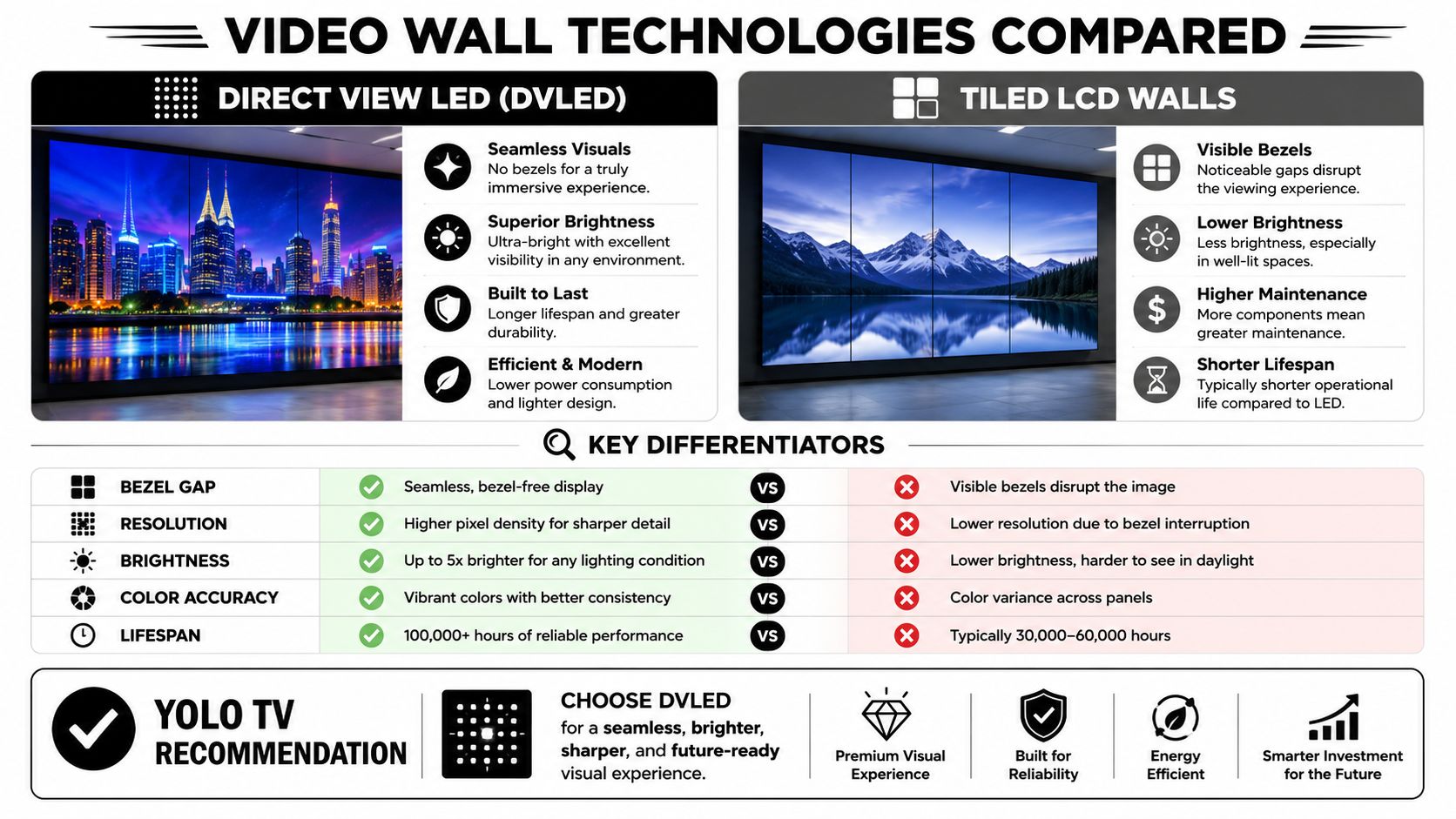
Display Technology Comparison for Estate Control Rooms
| Feature | Direct View LED (YOLO TV) | Tiled LCD Video Wall |
|---|---|---|
| Bezel gap | No visible display separation on the main canvas | Bezel lines remain part of the image |
| Aesthetic fit in luxury spaces | Better for a built-in, architectural look | Often reads as overtly commercial |
| Close-view performance | Strong when pitch is chosen correctly for seating distance | Can look sharp, but panel boundaries interrupt the image |
| Brightness behavior in control rooms | Well suited to controlled-light environments | Can work, but visual continuity suffers |
| Long-term maintenance | Built for stable long-term operation | More panel-related mismatch concerns over time |
| Energy use at the cited brightness condition | Lower power draw than tiled LCD under the previously cited comparison condition | Higher under that same cited condition |
| Luxury buyer fit | Investment-grade | Usually a compromise choice |
Where LCD still makes sense
LCD is not automatically the wrong answer.
For back-of-house monitoring rooms, staff areas, or secondary security spaces where the goal is broad visibility at the lowest initial cost, tiled LCD can still be a rational choice. It is also familiar to many IT and security teams, which can simplify early procurement. The trade-off is that the wall rarely disappears into the room visually, and over time panel uniformity can become a presentation issue in spaces held to residential design standards.
That is why we usually separate the discussion into primary wall and secondary wall. The primary wall in an estate command center is often worth doing once and doing properly.
Common mistakes
The biggest specification error is choosing a display category that conflicts with the room's purpose.
- Using standard commercial LCD panels for the main wall: The proposal may look cost-effective, but the finished room loses the single-canvas effect owners expect.
- Ignoring how the wall looks when content changes: Security grids, CAD drawings, home automation dashboards, and entertainment content all expose panel borders in different ways.
- Judging value on purchase price alone: Estates are long-hold assets. A cheaper wall that feels visibly commercial can become the part of the room everyone wants to redesign.
- Separating AV decisions from interior design decisions: Display selection, wall detailing, ventilation, and sightlines should be coordinated early. Our control room planning resources for residential AV projects cover that process in more depth.
One practical rule helps. If the room will be shown to principals, guests, or estate staff every day, treat the display wall as part of the architecture, not just the electronics package.
For most luxury estate command centers, that pushes the decision toward DVLED.
Decoding the Specs for Flawless Visuals
Good specification work isn't about collecting the most impressive numbers. It's about selecting the display characteristics that make the wall easy to read, comfortable to watch, and dependable every day.
Pixel pitch has to match the room
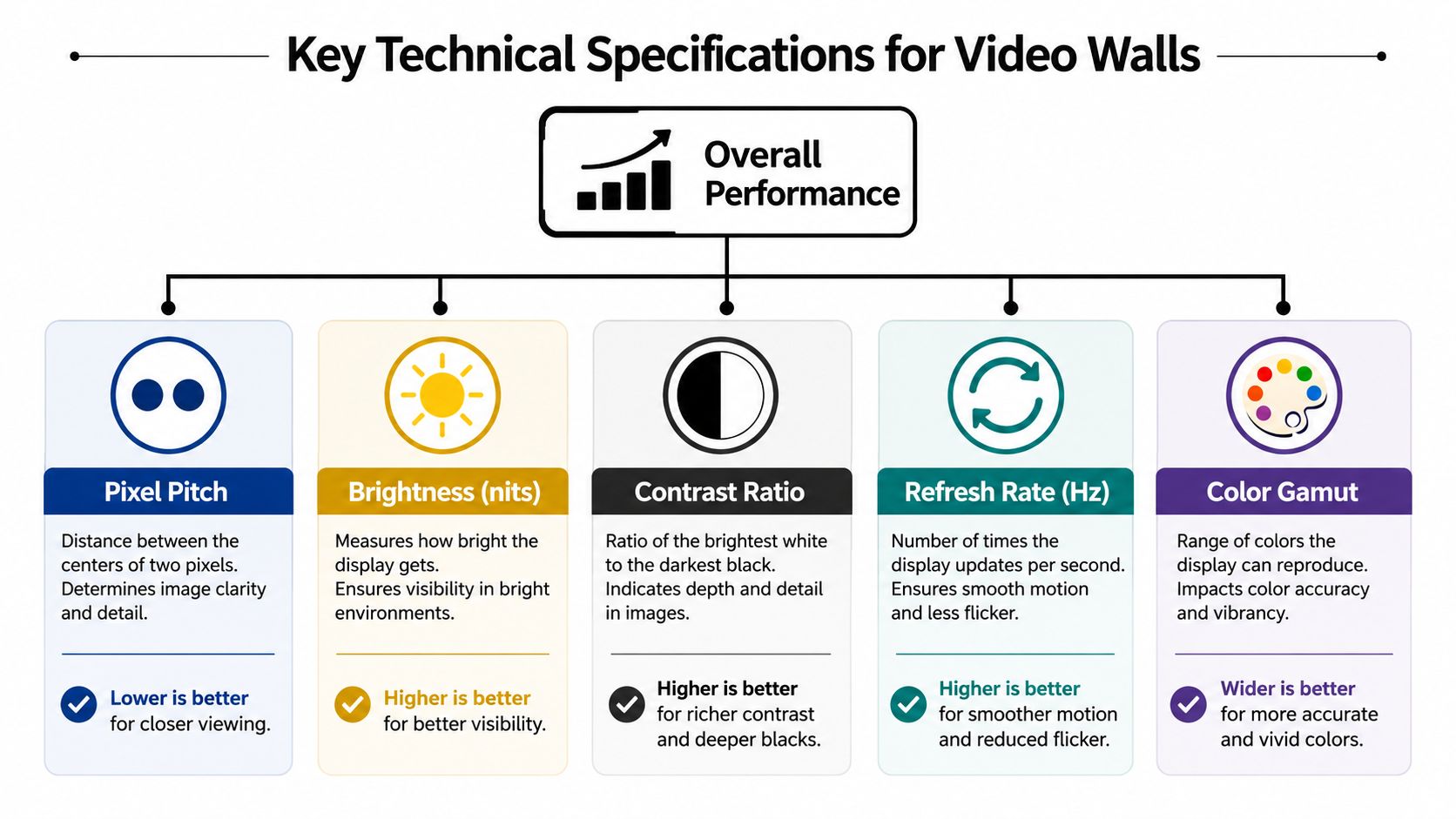
For control rooms, pixel pitch is the first specification that should be tied directly to furniture layout and operator distance. The Activu guide on DVLED in control rooms notes that operator viewing distance is typically 1 to 3 meters, and that fine pixel pitches such as 1.2mm to 1.8mm are required to avoid visible pixel structure. It also makes an important point that many buyers miss: the smallest available pitch isn't automatically the best choice.
That matters in residential command centers because seating distance varies more than in many commercial rooms. A family office on an estate might place the primary operator very close to the wall, while a secondary viewing seat sits farther back. A security manager may need to read labels and camera details from one position, while the owner may use the same room from another.
If pitch is too large, the image starts to break apart at close range. Text loses crispness. Fine map lines and surveillance details become harder to trust. If pitch is unnecessarily fine for the actual room, cost and complexity increase without adding meaningful practical benefit.
The specifications that actually affect day-to-day use
Beyond pitch, there are a handful of practical criteria that determine whether the room feels effortless or tiring.
- Brightness: In a control room, brightness has to be controlled, not maximized. The wall should remain comfortable in a dim environment while still preserving shadow detail and legibility.
- Contrast and low-light behavior: Operators spend hours staring at dark interfaces, camera feeds at night, and dashboards with small visual cues. Low-light stability matters more than showroom punch.
- Refresh rate: Motion handling affects how surveillance feeds and rapidly updating graphics appear. CreationLED's overview of refresh rates states that professional-grade LED video walls designed for control rooms typically feature refresh rates between 1920Hz and 3840Hz, with specialized systems exceeding 7680Hz to prevent motion blur and support accurate grayscale representation during live monitoring.
- Color gamut and color fidelity: Security work isn't always just about seeing movement. Sometimes operators need confidence in color distinctions, lighting conditions, vehicle identification, or analytic overlays.
One of the most useful ways to approach specification is to stop asking “What's the highest spec?” and start asking “What will the operator see from this chair?”
For design teams and integrators who want a deeper technical framework before hardware decisions are finalized, the YOLO TV learning center is a good next stop.
Pro Tip
Pro Tip
Match the wall to the closest real viewing position, not the most flattering rendering. If a desk places the operator near the display, that distance should drive pitch selection. Overspending on ultra-fine pitch for seats that don't exist is just as wasteful as underspecifying and forcing people to read soft text all day.
A strong residential control room balances all of these variables together. A beautiful wall with the wrong pitch, wrong brightness behavior, or weak motion handling will still feel wrong after the first long evening of use.
Design Principles for Your Command Center
Technology selection is only half the work. The room itself determines whether the display becomes a productive tool or a source of fatigue.
The room should support decisions, not distract from them
The best command centers in private residences feel calm. That usually comes from disciplined sightline planning, restrained finishes, and proper lighting control.
Start with eye level and viewing angle. If the main content band sits too high, operators raise their chin for hours at a time. If the wall is too low, the furniture often feels awkward and the room loses visual balance. The right answer depends on the primary seating posture and whether the room is desk-led, lounge-led, or hybrid.
Acoustics matter too. Hard, reflective luxury finishes can make radios, alert tones, and voice communication harsh. Acoustic paneling, carpet strategy, and concealed absorption can preserve speech clarity without making the room feel like a server closet.
A practical low-light detail often gets overlooked during commissioning. The cited LED guidance from this grayscale dimming walkthrough notes that when indoor LED displays are dimmed below 40% intensity, selecting “grayscale” adjustment mode instead of “contrast” is critical to preserve grayscale fidelity, and that it requires a specific receiving card configuration for proper performance. In plain language, if the room is intentionally dark and elegant, the display must still render subtle tonal information correctly.
Architectural integration changes how the room feels
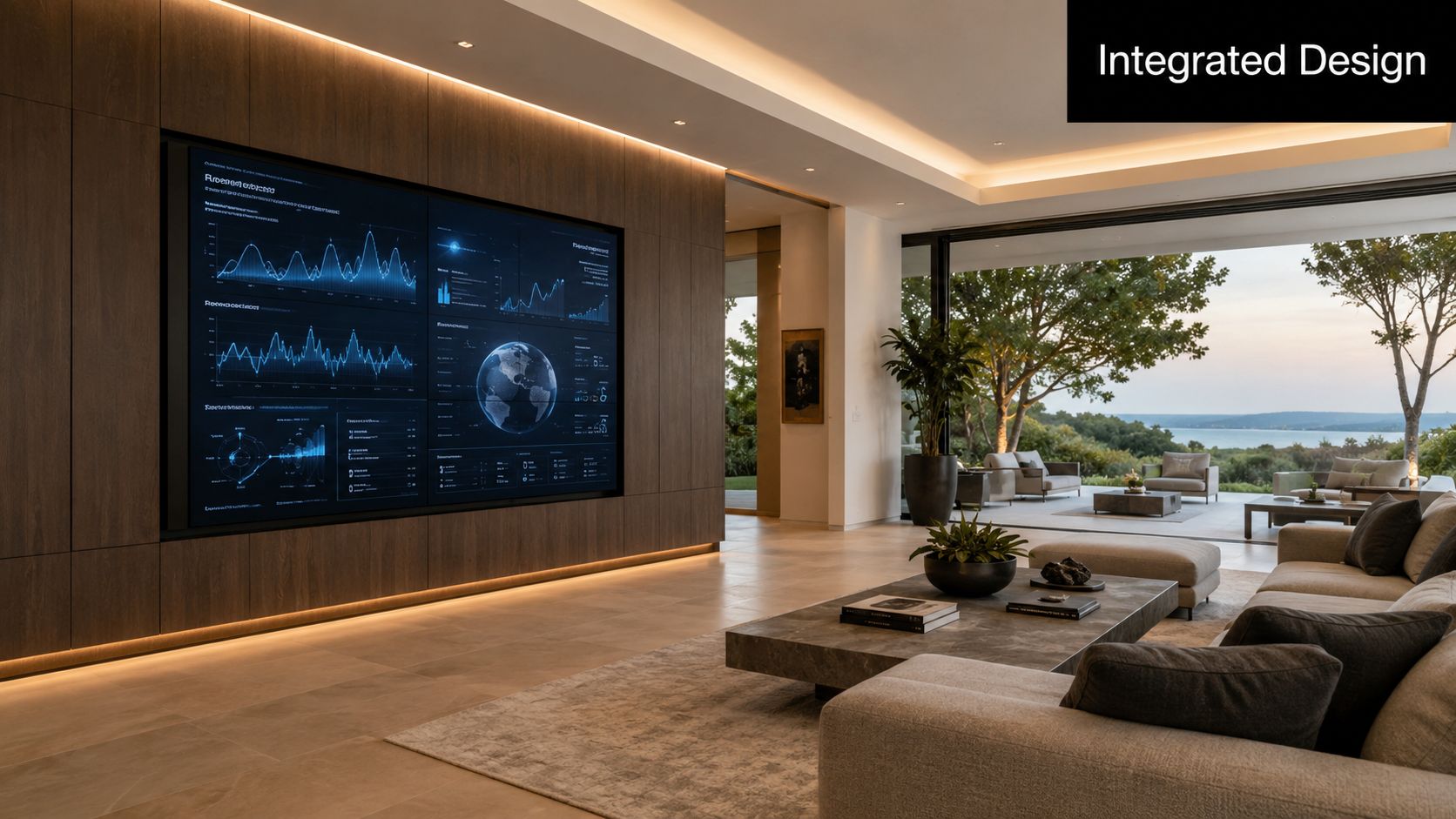
The display can either disappear into the architecture or stand as a deliberate focal feature. Both approaches can work.
Consider these design paths:
Flush built-in wall
- Best when the room is formal, quiet, and highly architectural.
- Works well with stone surrounds, wood slat walls, or integrated cabinetry.
Statement mount
- Useful when the display is intended to anchor a family office, club room, or modern surveillance suite.
- Pairs well with metal detailing and technical lighting.
Concealed or adaptable installation
- Ideal where the room must shift between command use and residential entertaining.
- Often demands tighter coordination between integrator, builder, millworker, and automation programmer.
Early collaboration saves the project. Once framing, HVAC, cabinetry, and power are locked, the cost of “small changes” rises quickly.
Architects and builders usually appreciate having CAD and mounting information early. It lets them plan wall depth, service access, ventilation strategy, and adjacent finish transitions before the display becomes a site problem.
The Brains of the Operation Control System Integration
A video wall can be physically perfect and still fail operationally if the control layer is clumsy. In residential work, that's one of the biggest differences between an impressive installation and a room people use.
A video wall without a proper control layer becomes frustrating fast
The display surface is only the front end. Behind it, the system needs a processor and control environment that can organize many sources into useful layouts. That may include camera streams, gate intercoms, weather services, estate maps, lighting dashboards, pool controls, backup power status, and selected media feeds.
The wall should support custom presets that match real scenarios. One-touch actions are far more valuable than a pile of inputs. A morning operations view might prioritize gates, staff arrival, and service drives. A storm mode might pull in weather, drainage monitoring, generator status, and vulnerable perimeter cameras. A security alert scene could enlarge the most relevant zones instantly.
This is also where broader estate systems matter. Integrators working on larger residential compounds often benefit from understanding adjacent disciplines such as credentialing and perimeter access. A resource like Adelaide access control systems is useful because it shows how access logic and monitoring architecture often need to be designed together, not in isolation.
What a refined user experience looks like
The most successful systems use familiar automation ecosystems and hide complexity behind them. Crestron, Savant, and Control4 are common examples in luxury residential work because they let a homeowner, estate manager, or security lead trigger scenes without needing to think like a broadcast operator.
Good integration usually includes:
- Preset layouts: Tap once to switch from all-cameras mode to estate operations mode.
- Priority-based content behavior: Important alerts should command attention without forcing a full manual reshuffle.
- Simple control surfaces: Touchpanels, tablets, and wall keypads should use clear language, not engineering jargon.
- Consistent motion rendering: Fast-changing feeds look better when the display hardware is suited to active monitoring. As noted earlier in the article, control-room-grade LED systems commonly use high refresh rates to reduce motion blur and preserve grayscale during live monitoring.
If the owner needs a cheat sheet to operate the room, the programming isn't finished.
The best control rooms feel obvious to use. That's rarely accidental. It comes from disciplined interface design, thoughtful presets, and an integrator who understands both estate living patterns and mission-critical behavior.
Real-World Applications for Luxury Properties
The residential use cases are broader than many people expect. Once the system is framed correctly, the room becomes less about “watching cameras” and more about supervising the whole estate.
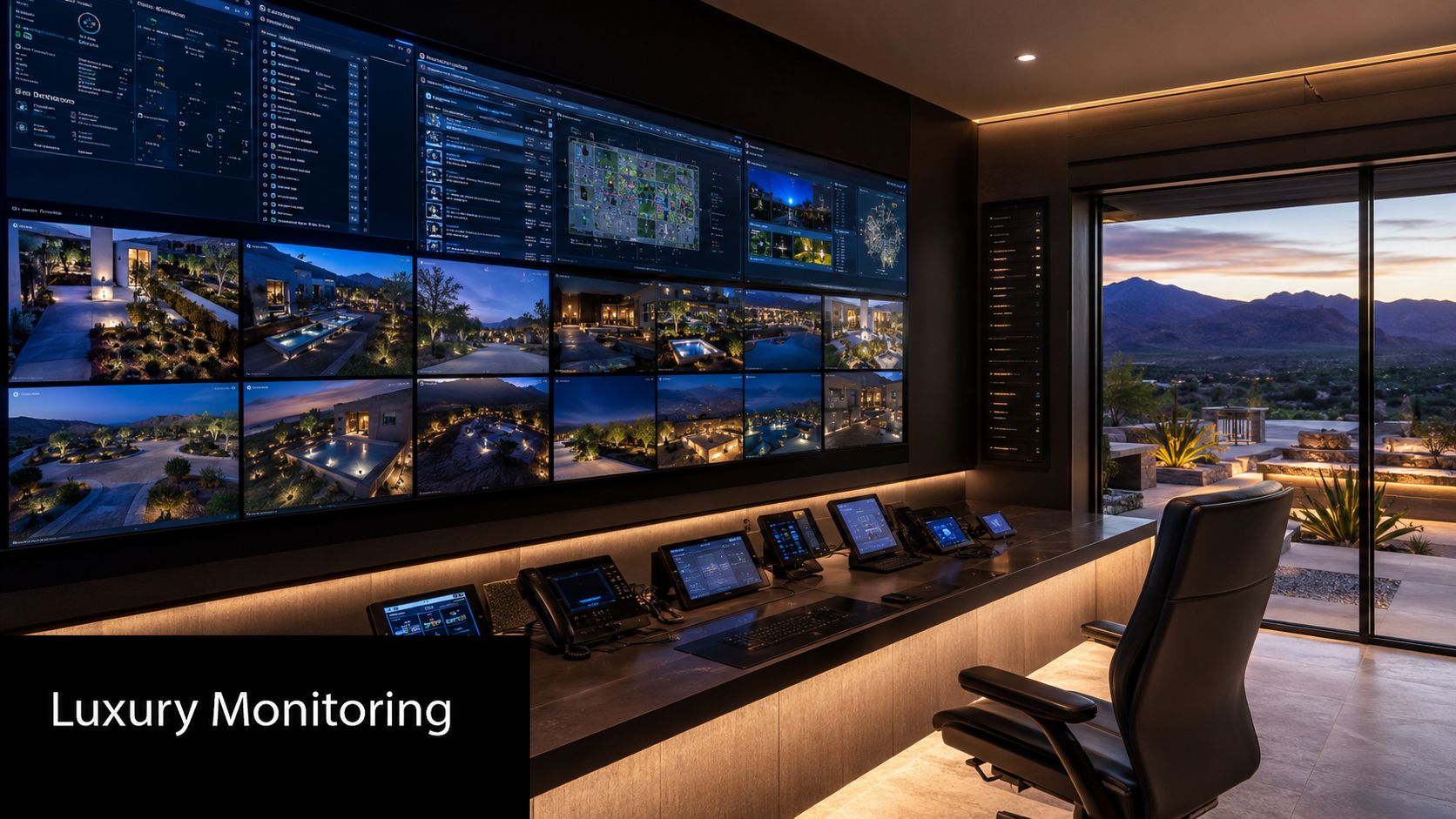
Scottsdale desert estate
A Scottsdale outdoor LED wall might get the attention on the entertainment side of a property, but the indoor command room often does the heavier operational work. On a desert estate, the control wall commonly combines perimeter surveillance, gate activity, irrigation water oversight, and solar shading controls.
Desert properties create long sightlines and harsh light transitions. Operators often move between bright exterior conditions and a darker interior command room. The display has to maintain clarity without feeling glaring after sunset. In this setting, maps, irrigation zones, and camera views all benefit from a display surface that remains unified and easy to scan.
Florida coastal compound
A Florida coastal outdoor TV installation has its own environmental requirements, but the indoor command center serves a different purpose. It often becomes the fortified brain of the property, especially where multiple structures, dock areas, marine exposure, and weather events create a larger management footprint.
Coastal properties also raise a subtler display issue: color trust. The Canbest discussion of LED walls for control rooms highlights a frequently overlooked challenge, noting that operators are often concerned about color space fidelity and accurate rendering of Rec.2020 or DCI-P3 for high-fidelity surveillance. Standard vendor marketing often skips over that issue. For estates where identification, environmental monitoring, or close-view analytic work matters, that concern is legitimate.
Texas equestrian estate
On a Texas backyard entertainment project, the visible technology may center on leisure. On a Texas equestrian estate, the command center usually revolves around logistics and safety.
The room may need to show stable interiors, pasture approaches, service entrances, staff circulation, and residential perimeters all at once. The operator might be an estate manager in the morning, a security lead in the evening, and the owner during travel. That means the interface has to be intuitive, and the wall has to support both overview and close inspection without becoming visually chaotic.
Three patterns show up repeatedly across these properties:
- Large grounds reward centralization: The farther systems are spread, the more valuable one visual command point becomes.
- Climate influences room behavior: Desert glare, coastal storm monitoring, and Texas-scale acreage each shape what the wall needs to display.
- High-end homes need visual discipline: The room can't feel like a municipal back office. It has to perform without compromising the architecture.
Your Procurement and Installation Checklist
A serious estate control room is a coordinated build exercise, not a quick equipment purchase.
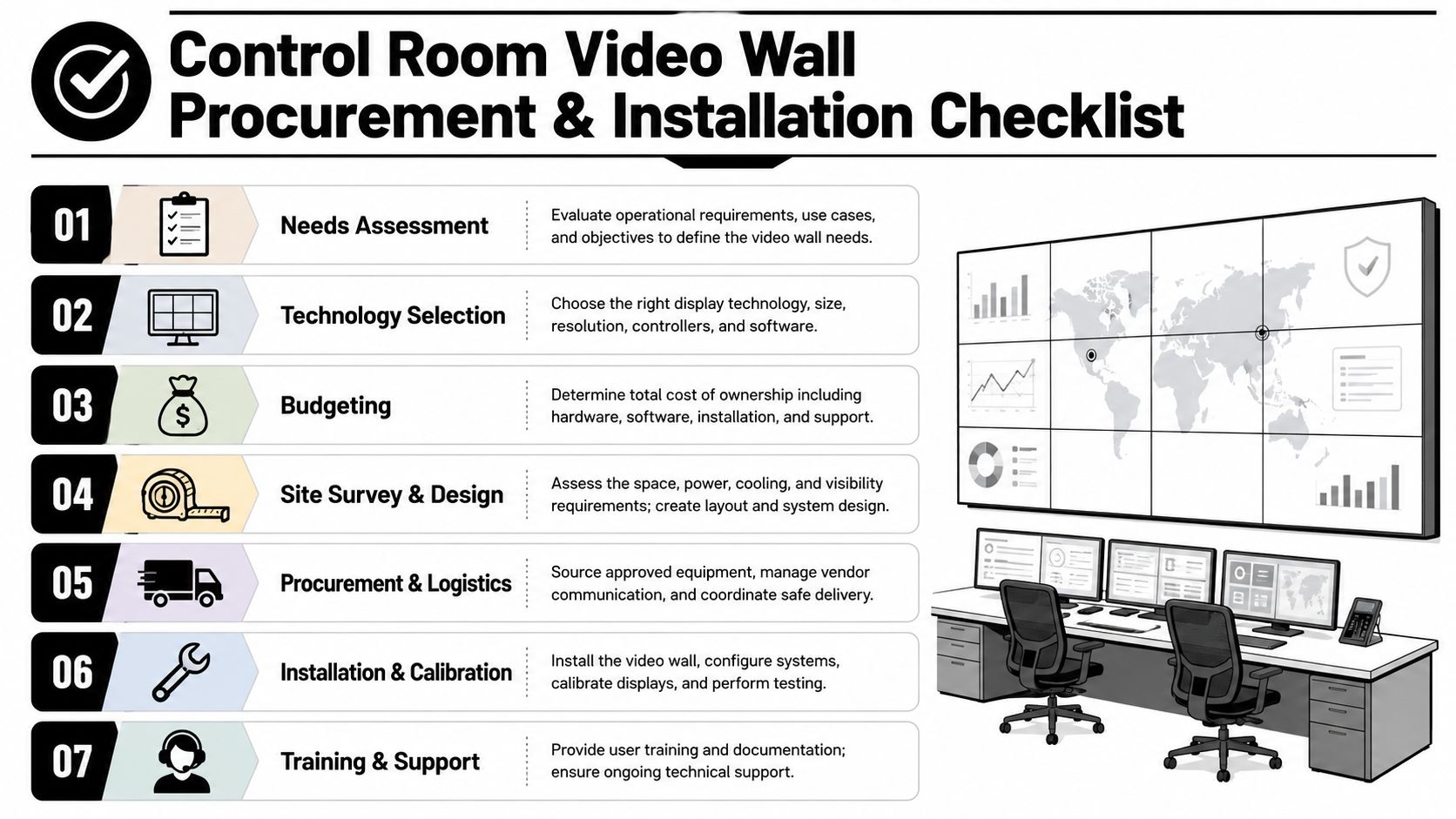
A practical seven-step path
Needs assessment
Define what the room must supervise. Security only, or estate operations too.Technology selection
Choose the display type, processor approach, control platform, and furniture concept based on actual use.Budgeting
Include display, processing, structure, cabinetry, power, network, HVAC impact, and programming. Partial budgeting creates ugly compromises later.Site survey and design
Validate wall structure, service access, cooling strategy, ambient light, and operator positions.Procurement and logistics
Sequence materials around construction timing so the display doesn't arrive before the room is ready.Installation and calibration
The wall, processor, control layer, and lighting conditions must be commissioned as one system.Training and support
The owner, estate staff, and security personnel should all know how to use the room confidently.
For a clearer sense of how that process is typically staged from inquiry through handoff, review the YOLO TV customer journey.
Ready to design your estate's command center? Schedule a discovery call with a specialist once you have room photos, rough dimensions, and a list of systems you want on the wall.
Frequently Asked Questions
Is a control room video wall overkill for a residence
Not on a large estate. Once a property includes multiple structures, layered security, and broad automation systems, centralization becomes practical. The question isn't whether the room looks commercial. The question is whether the property is easier to supervise from one place.
Is Direct View LED better than a bank of premium monitors
Usually, yes, if the goal is a unified operational canvas rather than separate desktop tasks. A properly specified wall improves overview, cleans up the room visually, and avoids the fragmented feel that comes from multiple monitor frames and mismatched interfaces.
Can a residential command center still look elegant
Yes. The room's finish quality, integration detailing, lighting design, and furniture plan determine that. The strongest projects feel designed for the home rather than borrowed from a corporate security office.
What should I prepare before talking with an integrator
Bring floor plans if you have them, room photos, a rough seating layout, and a list of systems that need to appear on the wall. It also helps to note who will use the room most often: owner, estate manager, family office staff, or dedicated security personnel.
Where can I read more about related residential display questions
A good place to continue is the YOLO TV FAQ library, especially if you're also comparing indoor and outdoor display strategies for the same property.
If you're planning a private estate command center and want expert guidance on display design, integration strategy, and architectural coordination, contact YOLO TV for a design consultation. Share photos of your space, floor plans, or project drawings, and the team can help you evaluate the right video wall approach for your residence.